



PHCash Deposit: Methods, Limits and Smart Checks
Deposit at Phcash is built around familiar payment options, but the important part is choosing the right method, channel, amount and bonus before money leaves your account. A few checks at the cashier can prevent duplicate payments, wrong-channel transfers and avoidable delays.
Deposit Methods at PHCash
Deposit starts from the Personal Center, where several payment routes sit side by side rather than being buried behind one generic payment button. That matters because two players depositing the same amount may still use completely different processing routes.
The current Deposit menu includes:
- GCash
- Maya
- GCashQR
- GCASHPAY2
- GrabPay
- Online Banking
- Crypto Payment
The best choice is usually the payment method you already use regularly. Familiarity reduces small mistakes: Choosing the wrong wallet account, overlooking a transfer confirmation, or struggling to find the transaction reference afterward.
GCash and GCashQR
GCash has more than one route inside the Deposit menu. Standard GCash uses selectable processing channels, while GCashQR provides a QR-based payment path.
That distinction is useful. Someone who prefers scanning and confirming inside the GCash app may find GCashQR more convenient, while another player may be more comfortable following the regular GCash channel flow.
Do not treat every GCash-labelled option as interchangeable. Each Deposit request can generate its own payment route, so the details attached to the current request are the ones that matter.
Maya, GrabPay and Online Banking
Maya is another direct wallet option and currently carries a Cashback 2% label in the cashier. That label should be read as a current PHCash offer, not as a permanent feature of Maya itself.
GrabPay gives another wallet alternative, while Online Banking is useful when the money is already sitting in a bank account and moving it into an e-wallet first would only add an unnecessary step.
GCASHPAY2 also appears as a separate choice. Even when two methods eventually use similar payment rails, select the exact option shown in your Deposit request instead of switching routes halfway through.
Deposit Limits and Amount Choices
The current Deposit range runs from ₱100 to ₱50,000.
Quick-select buttons make common amounts easy to enter:
- ₱100
- ₱300
- ₱500
- ₱800
- ₱1,000
- ₱3,000
- ₱5,000
- ₱8,000
- ₱10,000
- ₱20,000
A custom amount field is also available, so you are not limited to the preset buttons.
There is an important difference between the PHCash Deposit limit and your own wallet or bank limit. A ₱30,000 Deposit may fit comfortably inside the ₱50,000 cashier ceiling, but your GCash, Maya or banking account can still reject it because of account-level restrictions, daily limits or insufficient available balance.
That distinction is easy to miss. The amount can be valid on one side and still fail on the other.
A valid Deposit amount does not automatically mean the payment account can process it. Check both limits before confirming a larger transfer.
For practical control, enter the amount you actually intend to use rather than automatically choosing the largest preset available.
How to Deposit
A Deposit becomes much easier to track when the steps are completed in the right order. Changing the amount, channel or promotion after starting payment can create unnecessary confusion.

How to Deposit
- Login Phcash and open Personal Center.
- Select Deposit.
- Choose GCash, Maya, GCashQR, GCASHPAY2, GrabPay or Online Banking.
- Select a processing channel when the chosen payment method requires one.
- Pick a preset amount or enter a custom Deposit amount.
- Review the available promotion choice.
- Press Apply for Deposit.
- Complete the payment using the details generated for that request.
- Keep the transaction reference until the balance is credited.
Check the Payment Details Before Sending
The most important moment is after the Deposit request has been created but before the payment is sent.
Check the amount again. Check the selected wallet. If a recipient, account instruction or QR code is generated, use the information attached to that specific request.
Do not assume details saved from an older Deposit are still valid.
A player who deposited ₱1,000 through GCash yesterday should not automatically reuse yesterday’s recipient details for today’s ₱3,000 request. Processing routes can change, and the current instruction should always take priority.
GCash Deposit Channels
Selecting GCash currently opens several channel choices:
- G-Cash Ch.20
- G-Cash Ch.14
- G-Cash Ch.17
These are processing routes under GCash rather than three different wallets.
This is more than a cosmetic choice. A channel may be available at one moment and unavailable later, which is why an old routine should not replace checking the live Deposit screen.
If G-Cash Ch.20 was used successfully last time but only Ch.14 and Ch.17 are active now, choose from the available channels instead of trying to force the older route.
There is also no good reason to claim that Ch.20 is always faster than Ch.14 or that one channel is permanently more reliable. Unless actual processing data says otherwise, treat the active channels as transaction routes rather than a ranking.
Bonus Selection Before Deposit
Deposit bonuses should be chosen before money is sent, not considered afterward.
The cashier can present an available First Deposit Bonus, while Maya currently carries a Cashback 2% label. There is also a clear option to select Do not participate in any promotions.
That last choice is useful. A promotion is only valuable when its conditions fit the way you plan to use the balance.
Before opting in, check:
- Minimum qualifying Deposit
- Eligible payment method
- Whether the bonus is automatic or must be selected
- Wagering or turnover requirement
- Eligible games
- Maximum bonus amount
- Expiry or claiming conditions
- Withdrawal restrictions connected to the promotion
A larger headline percentage can look attractive while still being a poor fit for someone who does not want additional turnover conditions.
For example, if a player only intends to make a small Deposit, play briefly and keep the balance flexible, declining a bonus can sometimes be simpler than accepting extra promotional rules without reading them.
Deposit History and Payment Checks
Deposit History is one of the first places to check when a payment does not appear immediately in the balance.
Instead of sending the same amount again, compare the original transaction against the record.
Look for:
- Deposit amount
- Payment method
- Submission time
- Current status
- Transaction or payment reference
- Any confirmation attached to the request
Suppose ₱5,000 has already been deducted from GCash but the balance has not updated. Sending another ₱5,000 immediately can turn one delayed transaction into a ₱10,000 funding problem.
Check the first Deposit before creating the second.
Keep the Transaction Reference
The transaction reference becomes especially useful when a payment leaves GCash, Maya or a bank account but does not reach the balance as expected.
A useful record normally includes the amount, payment time, reference number and payment confirmation. Keeping those details until the Deposit is fully credited makes any later status check much easier.
Delayed or Failed Deposit
Not every unsuccessful Deposit means the same thing. The fastest way to diagnose the problem is to find out where the transaction stopped.
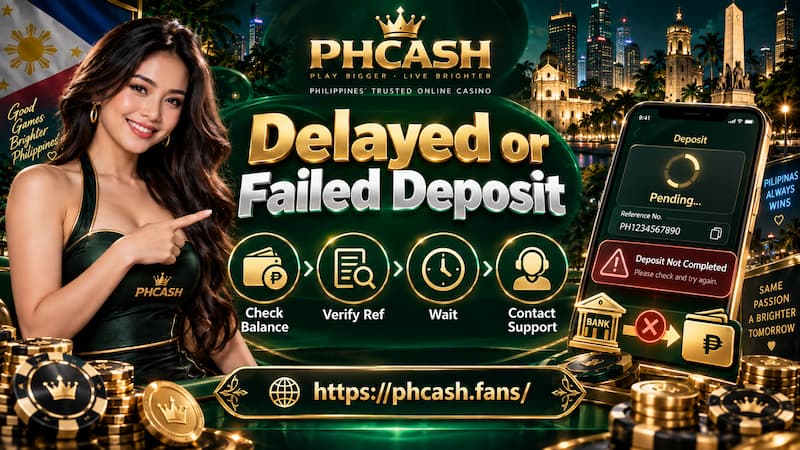
Delayed or Failed Deposit
Money Was Not Deducted
If no money left the wallet or bank account, check:
- Available balance
- Wallet or bank transaction limits
- Selected Deposit amount
- Current payment channel
- Whether the payment request expired before completion
In this situation, repeatedly creating new Deposit requests rarely helps until the original cause is identified.
Money Was Deducted but the Balance Is Missing
This needs a different approach.
First open Deposit History and locate the transaction. Compare the amount and time with the wallet or bank record.
If the payment is still pending, avoid submitting an identical payment immediately. If the transaction is marked unsuccessful despite money being deducted, keep the payment reference and confirmation ready for support.
The useful details are specific: ₱3,000 sent through GCash at 8:42 PM with transaction reference X, for example, is much easier to investigate than simply reporting that “my Deposit is missing.”
Also avoid sending money to an old account number or rescanning an old QR code in an attempt to fix the problem. Start from the current Deposit request.